Reset Expired Password During the Login Process
TranslationTo pending.reset an expired user password during the login process, configure the following settings in Citrix Studio:
Open Citrix Studio
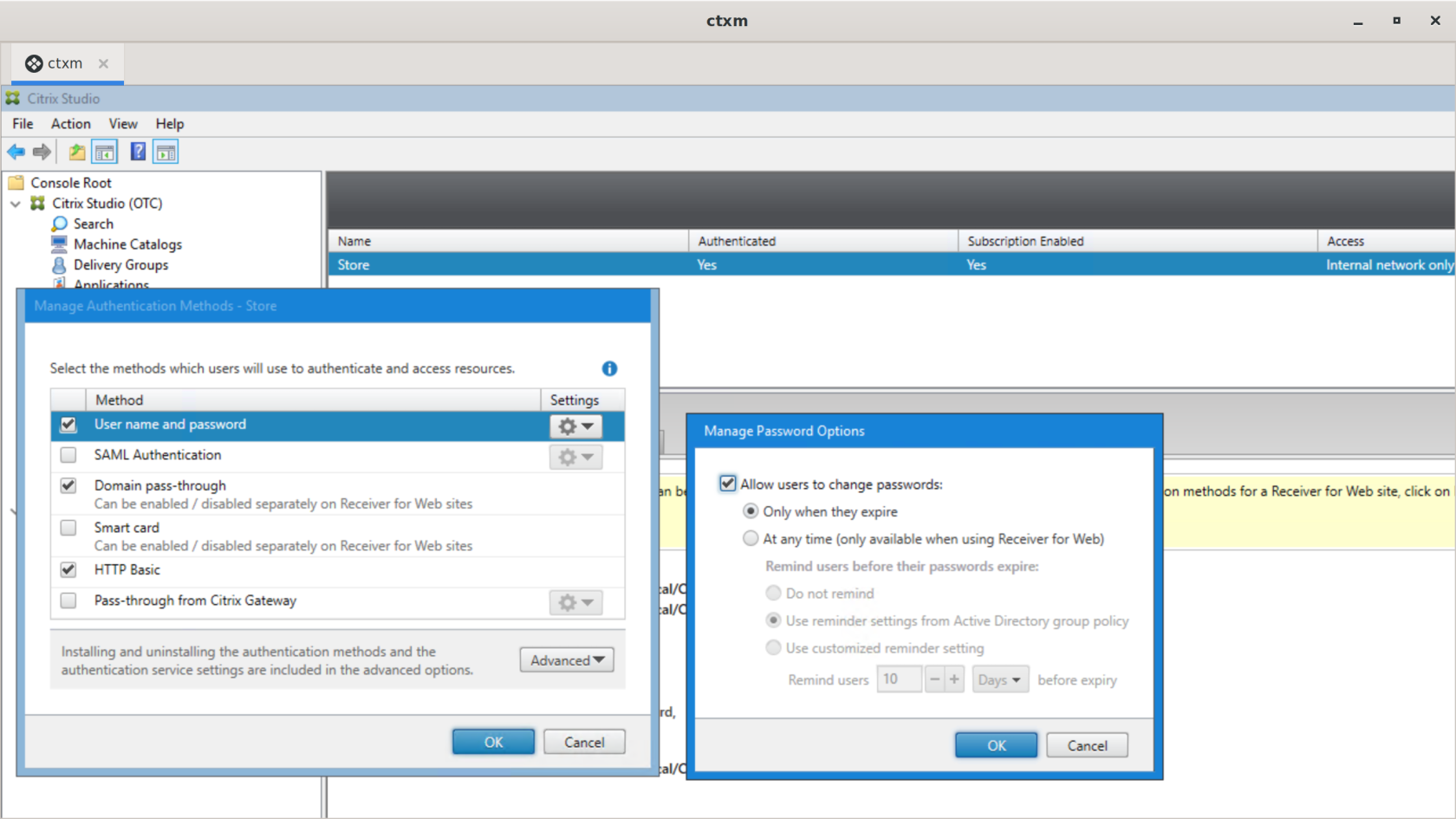
In the tree on the left, under Citrix StoreFront, select the store.
In the upper-right corner, right-click the store and select Manage Authentication Methods
In the window that appears, enable "User name and Password" as a valid method.
Click the gear icon in the "User name and password" row and select "Manage Password Options"
In the new window, enable the options "Allow users to change password" and "Only when the password expires"..