Reset Expired Password During the Login Process
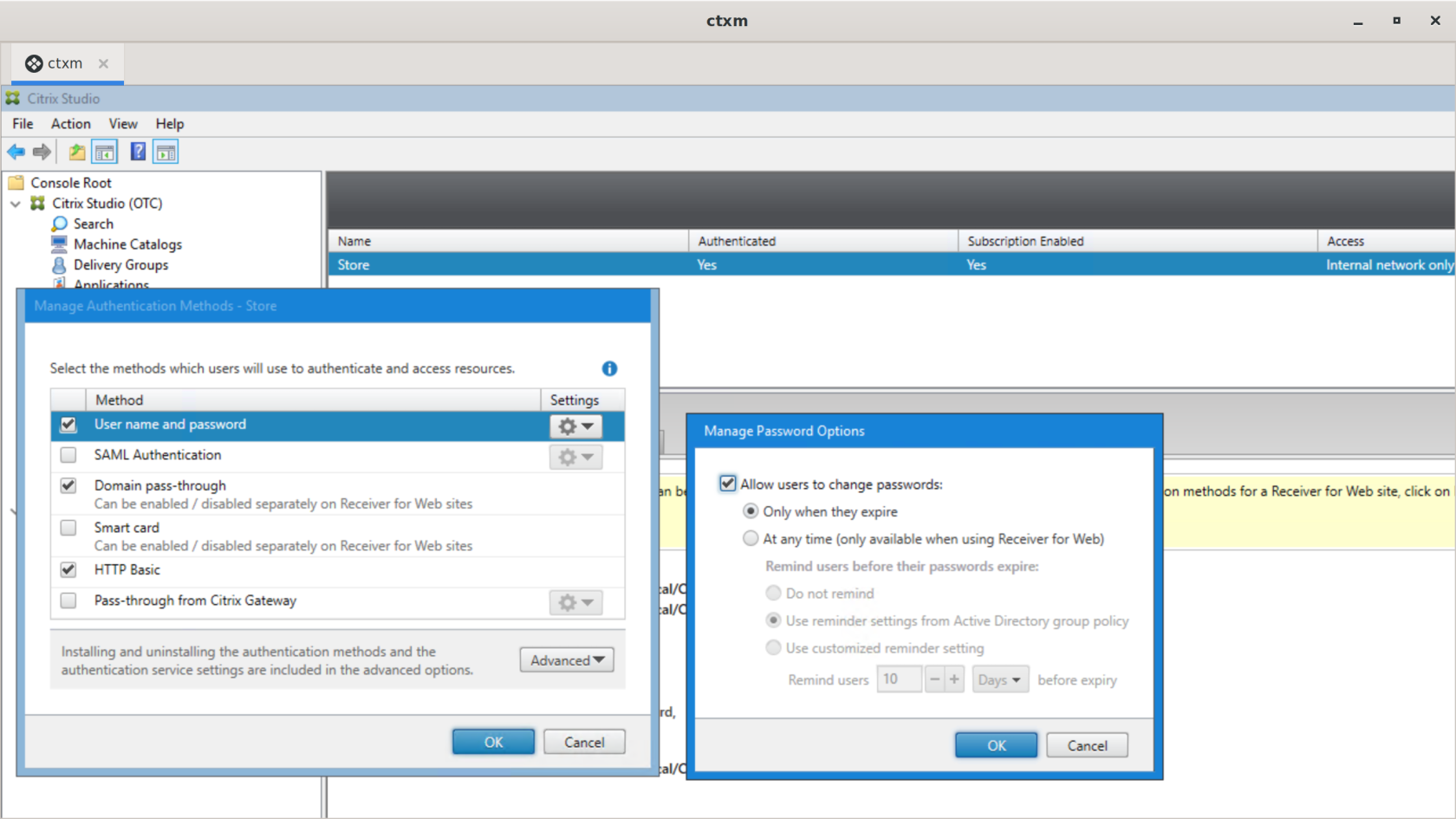
To reset an expired user password during the login process, configure the following settings in Citrix Studio:
- Open Citrix Studio
- In the tree on the left, under Citrix StoreFront, select the store.
- In the upper-right corner, right-click the store and select Manage Authentication Methods
- In the window that appears, enable "User name and Password" as a valid method.
- Click the gear icon in the "User name and password" row and select "Manage Password Options"
- In the new window, enable the options "Allow users to change password" and "Only when the password expires".